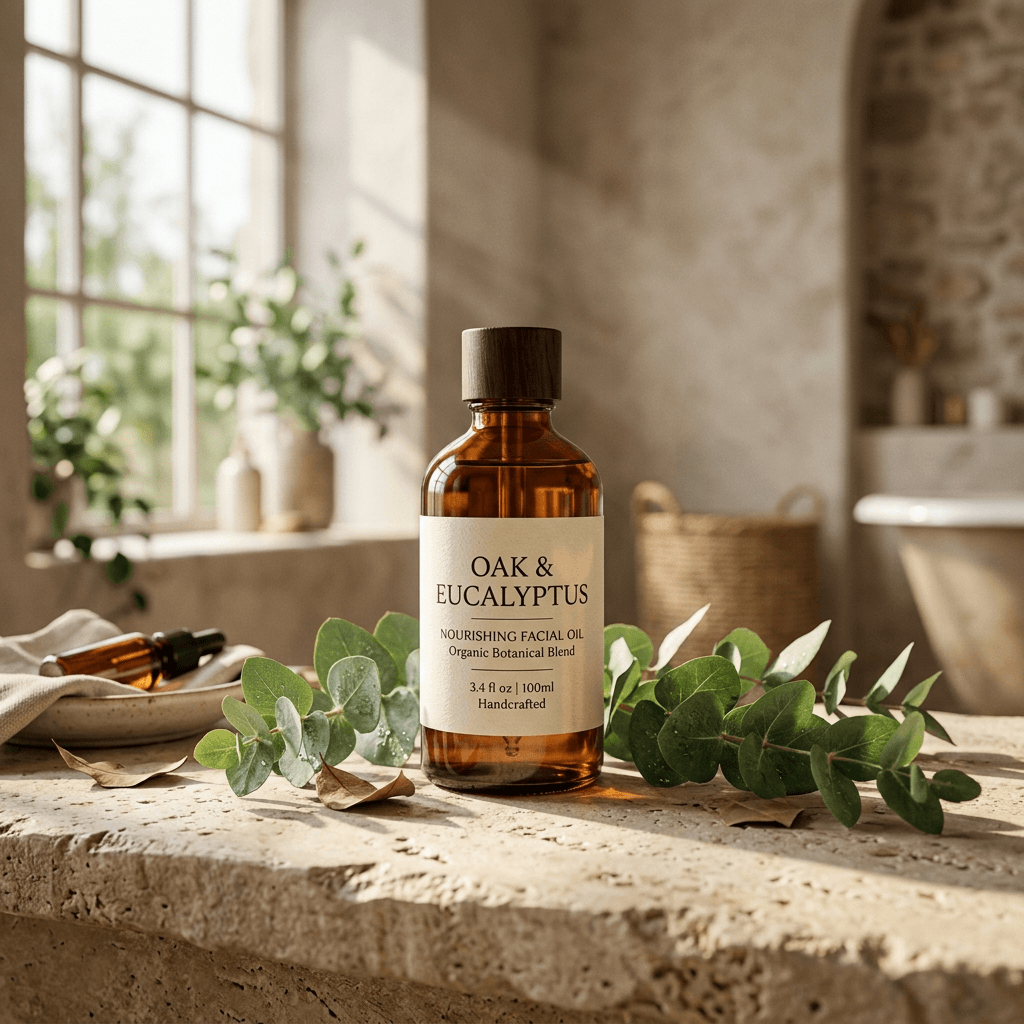
How to Generate High-End AI Product Photos for Your Shopify Store
You generate high-quality Shopify product photos by extracting a clean cut-out of your product, feeding it into a generative scene synthesis engine, and specifying ray-traced lighting parameters — locking exact geometry and labels via Brand DNA while only the background, lighting, and shadows change.
For direct-to-consumer (D2C) brands, visual assets are the ultimate conversion engine. If your product photos look cheap, generic, or poorly lit, your customer acquisition costs (CAC) will soar, and your return on ad spend (ROAS) will plummet.
But traditional commercial photography is a bottleneck:
- Hiring agencies, booking models, renting studios, and shipping products takes weeks.
- Custom shoots cost between $1,500 and $5,000 per collection.
- Editing and retouching cycles introduce massive delays in your marketing calendar.
Modern high-fidelity AI product photography completely bypasses these bottlenecks. By leveraging AI scene synthesis, brands can place their products in hyper-realistic lifestyle settings without a physical camera.
How do I make high-quality AI photos of products for Shopify?
You generate high-quality Shopify product photos by extracting a clean cut-out of your product, feeding it into a generative scene synthesis engine, and specifying ray-traced lighting parameters. With this fundamental reality in mind, we can dissect the strategic blueprints required to implement this successfully.
To ensure the highest fidelity and avoid the "uncanny valley" look common in early AI art, follow this step-by-step production workflow:
1. Ingest High-Resolution Source Cutouts
Start with a high-resolution, sharp photo of your physical product. Avoid busy backgrounds, low lighting, or blurred edges. The cleaner the silhouette of your bottle, package, or item, the more accurately the AI will blend it into a synthesized environment.
2. Instruct the AI on Scene Context & Lighting Rules
Rather than simple text commands like "product on a stone," specify professional photography terms:
- Lighting Type: "Soft morning sun rays," "rim lighting," "dappled shadow silhouettes."
- Composition: "Premium environmental photoshoot," "botanical flatlay," "macro depth-of-field."
- Environmental Textures: "Raw concrete slate," "brushed stone bathroom ledge," "sandy neutral backdrop."
3. Maintain Absolute Geometry and Proportions
A major issue with generic image tools is "creative amnesia"—where the software alters your product label, distorts your logo, or deforms your bottle shape. AgenixSocial utilizes a sovereign Brand DNA engine which locks the exact dimensions, text labels, and aspect ratios of your physical inventory, modifying only the background scenery, lighting, reflections, and shadow projections.
Studio vs. Synthesized: Comparing the Options
How does AI-driven scene synthesis stack up against traditional photoshoots and generic background removers? The data below outlines the key differences in cost, speed, and output quality:
| Evaluation Metric | Traditional Studio Shoot | Generic Background Cutout | AgenixSocial Scene Synthesis |
|---|---|---|---|
| Average Cost per Image | $150.00 – $350.00 | $0.05 (Simple mask) | $0.20 (Non-expiring credit) |
| Production Time | 2 – 3 Weeks | Under 5 Seconds | Under 15 Seconds |
| Output Styling | Limited to physical props | Flat solid color/isolated white | Unlimited ray-traced lifestyle settings |
| Shadow & Reflection Fidelity | Natural but fixed | Completely missing/flat | Dynamic shadows and light refraction |
| Brand Identity Lock | Perfect | Perfect (Raw image is unchanged) | Perfect (Guaranteed by Brand DNA) |
Deploying Interactive Conversion Units Directly to Your Storefront
You do not need an agency to start generating assets. By integrating your active store directory directly with our workspace, catalog sync happens automatically in one click.
Sync Your Storefront & Review Brand DNA
Connect your Shopify catalog to review product context and prepare a structured creative starting point.
Sync Your Storefront & Review Brand DNA
Connect your Shopify catalog to review product context and prepare a structured creative starting point.
Integrating Your Brand Identity (The Next Step)
Once you generate your visual assets, the next step is ensuring your voice and color palettes remain perfectly aligned. We highly recommend using our free AI Brand Voice Analyzer to grade your site's current copy.
If you are in the beauty, cosmetics, or wellness space, check out our vertical case study on Skincare AI Product Photography to see how premium brands scale their ad creative pipelines.
Elevate Your Visual Merchandising
Traditional D2C commercial photography has officially met its match. Transitioning your catalog to synthesized AI scene generation isn't just a cost-saving measure—it is a massive agility play that unlocks broader creative testing options.
Ready to see how your inventory looks in a high-fidelity environment? Connect your storefront feed to start rendering on-brand creative campaigns quickly.