Amazon 75-Character Title Limit: What Sellers Need to Do Before July 27, 2026
Amazon product titles are changing in a way that will affect almost every seller.
Where this stands now: July 27, 2026 is here — the 75-character limit is now in effect. If your catalog still has over-limit titles, prioritize three things immediately: pull a fresh Seller Central export, fix your best-selling ASINs first, and add Item Highlights alongside every shortened title instead of leaving them for later.
Starting July 27, 2026, Amazon is moving most non-media product titles toward a 75-character limit, including spaces. At the same time, Amazon is introducing Item Highlights, a 125-character field for useful product details that no longer fit inside the title.
That may sound like a formatting change.
It is not.
For many sellers, this is a catalog cleanup project. Long Amazon titles have often carried everything at once: brand name, product type, size, material, ingredient, benefit, use case, audience, quantity, fragrance, color, and sometimes a few extra keywords for good luck.
The new structure forces sellers to make harder choices.
What stays in the title?
What moves into Item Highlights?
Where do you get the Amazon listing TXT file?
And how do you do all this across hundreds or thousands of listings without rewriting every row manually?
If you want the product workflow behind this guide, start with the Amazon 75-Character Title Compliance workflow.
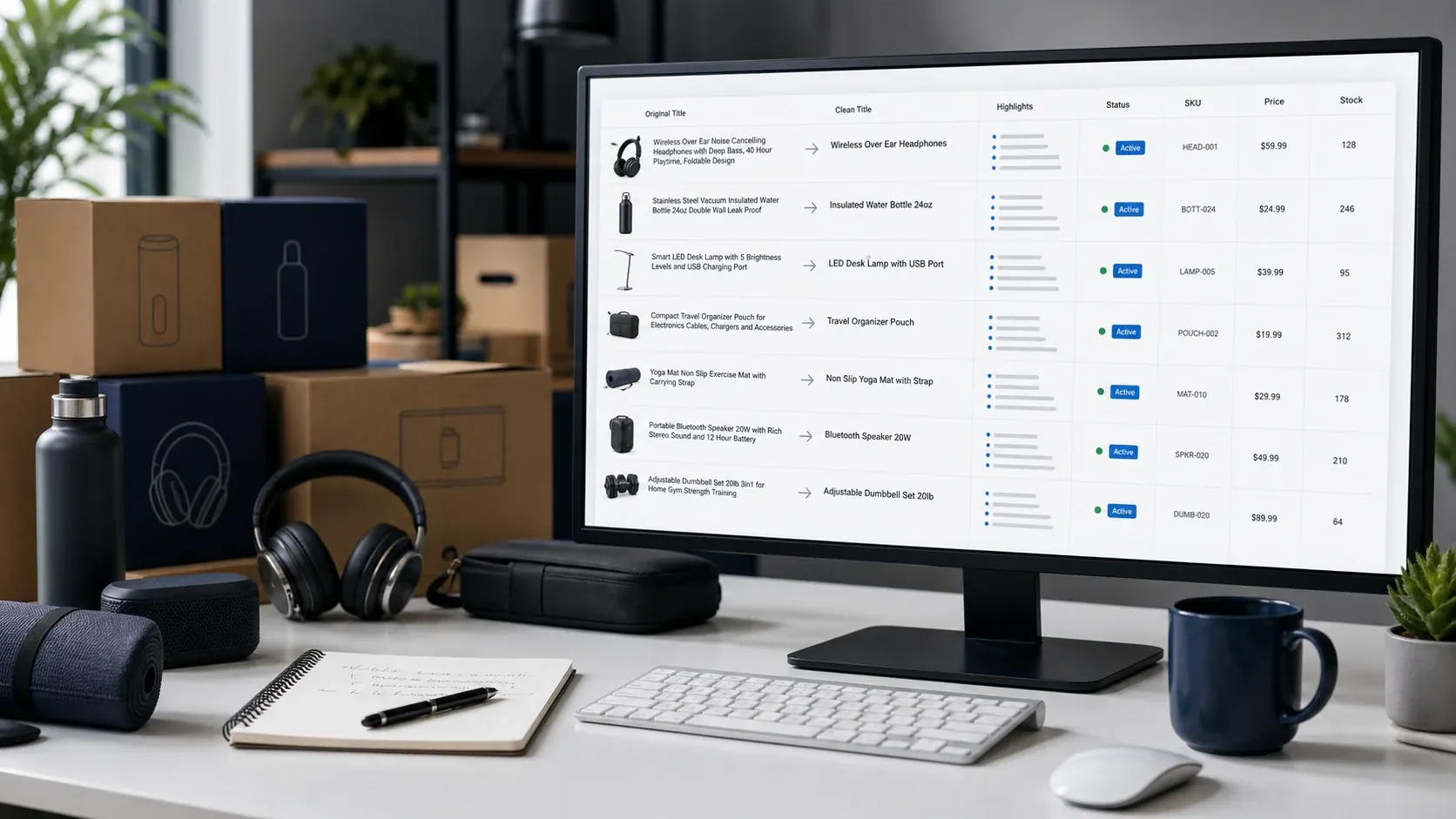
Quick answer: what is Amazon’s 75-character title limit?
Amazon's 75-character title limit means most non-media product titles need to fit within 75 characters, including spaces, effective July 27, 2026. Sellers gain a new 125-character Item Highlights field for supporting details such as materials, use cases, or comparison points that no longer fit in the title. The real job is not truncation but allocation: sellers should keep brand, product type, variant or model, and size or quantity in the title, move source-supported details like ingredients, benefits, use cases, and compatibility into Item Highlights, and remove repeated keywords, promotional filler, and unsupported claims. Amazon's own Seller Central announcement confirms the effective date and the two-field structure. Sellers start by exporting the original tab-delimited TXT file from Reports, Inventory Reports, and Active Listings or Category Listings Report in Seller Central. Amazon has said over-limit titles may later be updated toward AI recommendations, so sellers who want control over their own wording should audit and rewrite listings before that automated cleanup happens at scale.
Amazon’s own Seller Central forum announcement describes the July 27, 2026 effective date, the 75-character product title direction for all categories except media, and the 125-character Item Highlights field. See Amazon’s product title and Item Highlights announcement.
What changed in Amazon product titles?
Amazon is moving toward a two-part listing structure:
| Field | New role |
|---|---|
| Product title | Short, clear product identity |
| Item Highlights | Searchable supporting details such as materials, use cases, or comparison points |
The big change is that the title can no longer carry the whole listing story.
A title that once looked like this:
Premium Stainless Steel Insulated Water Bottle - Keeps Drinks Cold 24 Hours, Hot 12 Hours, BPA-Free
may need to become something closer to:
Premium Stainless Steel Insulated Water Bottle - BPA-Free
Then the extra detail moves into Item Highlights:
Keeps drinks cold 24 hours, hot 12 hours. Ideal for gym, office, and outdoor adventures.
That example shows the new mental model: the title identifies the product; Item Highlights carry the supporting detail.
Why this matters for Amazon sellers
The title is often the first thing shoppers read. It also shapes how sellers think about discoverability, comparison, and conversion.
Shortening titles from long keyword-heavy strings to 75 characters changes the way sellers must balance clarity and product detail.
The update creates four practical problems.
First, many listings are already over 75 characters. If sellers have large catalogs, identifying and rewriting these titles manually can become a serious operational task.
Second, many existing titles are not just long. They are overloaded. They include ingredients, use cases, audience terms, fragrance names, color names, bundle details, gift language, benefit claims, and repeated keywords. A simple trim can remove important product context.
Third, sellers now need a consistent rule for what goes into the title versus Item Highlights. If every team member rewrites titles differently, the catalog becomes inconsistent.
Fourth, Amazon may provide or apply AI-generated recommendations for listings that remain over the limit after the deadline. Sellers should not treat this as a reason to panic, but it is a reason to prepare. If you want control over the wording of your listings, you should review and update them before the cleanup happens at scale.
The real problem: allocation, not truncation
The wrong way to handle the 75-character limit is to simply cut the title at 75 characters.
That creates ugly titles like:
SOULBAR Mystic Musk Handmade Soap with Moroccan Red Clay & Goat
Technically, that may be shorter. Commercially, it is poor listing work.
The better approach is to allocate the information.
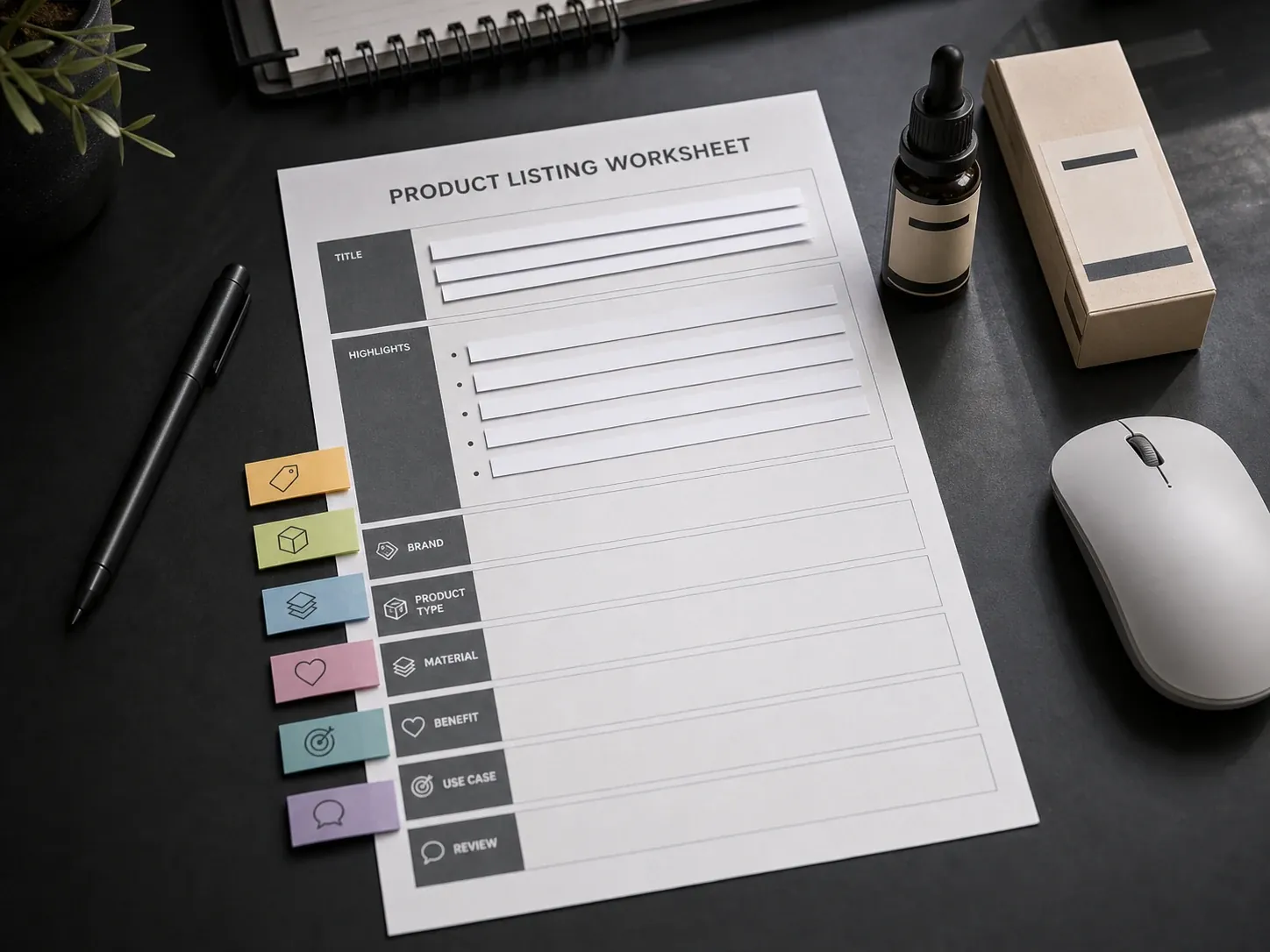
Think of each title as a set of parts:
- Brand
- Product type
- Variant
- Size
- Material or ingredient
- Benefit
- Use case
- Audience
- Promotional phrase
- Repeated keyword
- Noisy separator
Your job is to decide where each part belongs.
Some details must stay in the title because they define the product. Some details should move into Item Highlights because they support comparison. Some details should be removed because they are repetitive, promotional, or not useful enough for limited space.
What should stay in the 75-character Amazon title?
A shorter Amazon title should focus on product identity.
In most categories, the title should prioritize:
- Brand name
- Product type
- Core variant or model
- Size, quantity, or pack count when important
- One essential differentiator if space allows
A practical title formula is:
Brand + Product Type + Variant/Model + Size or Quantity
Examples:
| Product | Better 75-character title direction |
|---|---|
| Handmade soap | SOULBAR Mystic Musk Soap with Red Clay & Goat Milk, 100g |
| Car perfume | Soulbar Royal Musk Car Perfume Spray, 80 ml |
| Wireless mouse | ArcLite Wireless Mouse with Silent Click, Black |
| Stain remover | BrightWash Fabric Stain Remover Spray, 500 ml |
This does not mean every title must follow the exact same pattern. Categories differ. But the title should answer one simple question:
What is this product?
If the answer requires a shopper to read a 160-character keyword stack, the title is doing too much.
What should move into Item Highlights?
Item Highlights are the new home for useful secondary details.
Move details into Item Highlights when they help the customer compare options but do not need to sit in the main title.
Good candidates include:
- Materials
- Ingredients
- Use cases
- Benefits
- Audience
- Fragrance
- Compatibility
- Texture
- Finish
- Application context
- Secondary differentiators
For example, a long soap title may include:
Handmade Soap with Moroccan Red Clay & Goat Milk | Detox Bath Bar for Pore Cleansing & Moisturizing | Exotic Musk Fragrance | Organic Paraben Free | 100g
The rewritten structure could be:
Title: SOULBAR Mystic Musk Soap with Red Clay & Goat Milk, 100g
Item Highlights: Moroccan clay, goat milk, musk fragrance, moisturizing bath bar
The title stays readable. The highlights preserve supporting product context.
What should be removed or flagged?
Not every word deserves a new home.
Some title parts should be removed or flagged for review:
- repeated keywords
- excessive separators
- vague promotional phrases
- unsupported claims
- unnecessary gift language
- filler adjectives
- duplicate product descriptors
- claims that may need proof or category review
Examples of phrases to review carefully:
- best
- premium
- newly launched
- perfect gift
- anti-aging
- guaranteed
- organic, if not supported
- medical-style claims
- excessive "for men, women, kids, home, office, travel" stacking
The goal is not to make titles boring. The goal is to make them clear, source-supported, and easier to review.
A practical framework: Keep, Move, Remove
Use this simple framework while updating listings.
| Title part | Destination | Why |
|---|---|---|
| Brand | Title | Helps identify the product source |
| Product type | Title | Tells the shopper what the item is |
| Variant/model | Title | Helps distinguish similar products |
| Size/pack count | Title if important | Often needed for comparison |
| Ingredient/material | Item Highlights if space is tight | Useful, but not always core identity |
| Benefit | Item Highlights | Supports comparison and conversion |
| Use case | Item Highlights | Helps shoppers understand fit |
| Audience | Item Highlights or remove | Use only when meaningful |
| Repeated keyword | Remove or flag | Wastes limited space |
| Promotional phrase | Remove or flag | Often weakens compliance and clarity |
| Unsupported claim | Flag for review | Needs product accuracy check |
This framework is useful because it avoids the biggest mistake sellers make with new limits: treating the title as a shorter version of the old title instead of a different field with a different job.
How to get the Amazon TXT file from Seller Central
Before you rewrite titles, you need the right source file from Amazon Seller Central. For this workflow, use the original tab-delimited .txt file downloaded from Amazon. Do not convert it to CSV or XLSX before processing.
Here is the basic path:
- Log in to Amazon Seller Central.
- Go to Reports.
- Open Inventory Reports.
- Choose Active Listings, All Listings, Open Listings, or Category Listings Report, depending on the catalog view you need.
- Click Request Report.
- Wait until the report status becomes Ready.
- Click Download.
- Use the downloaded
.txtfile for your title compliance workflow.
Amazon’s Inventory Reports documentation describes the Reports to Inventory Reports flow, report type selection, report request, and download process. See Amazon’s Inventory Reports documentation.
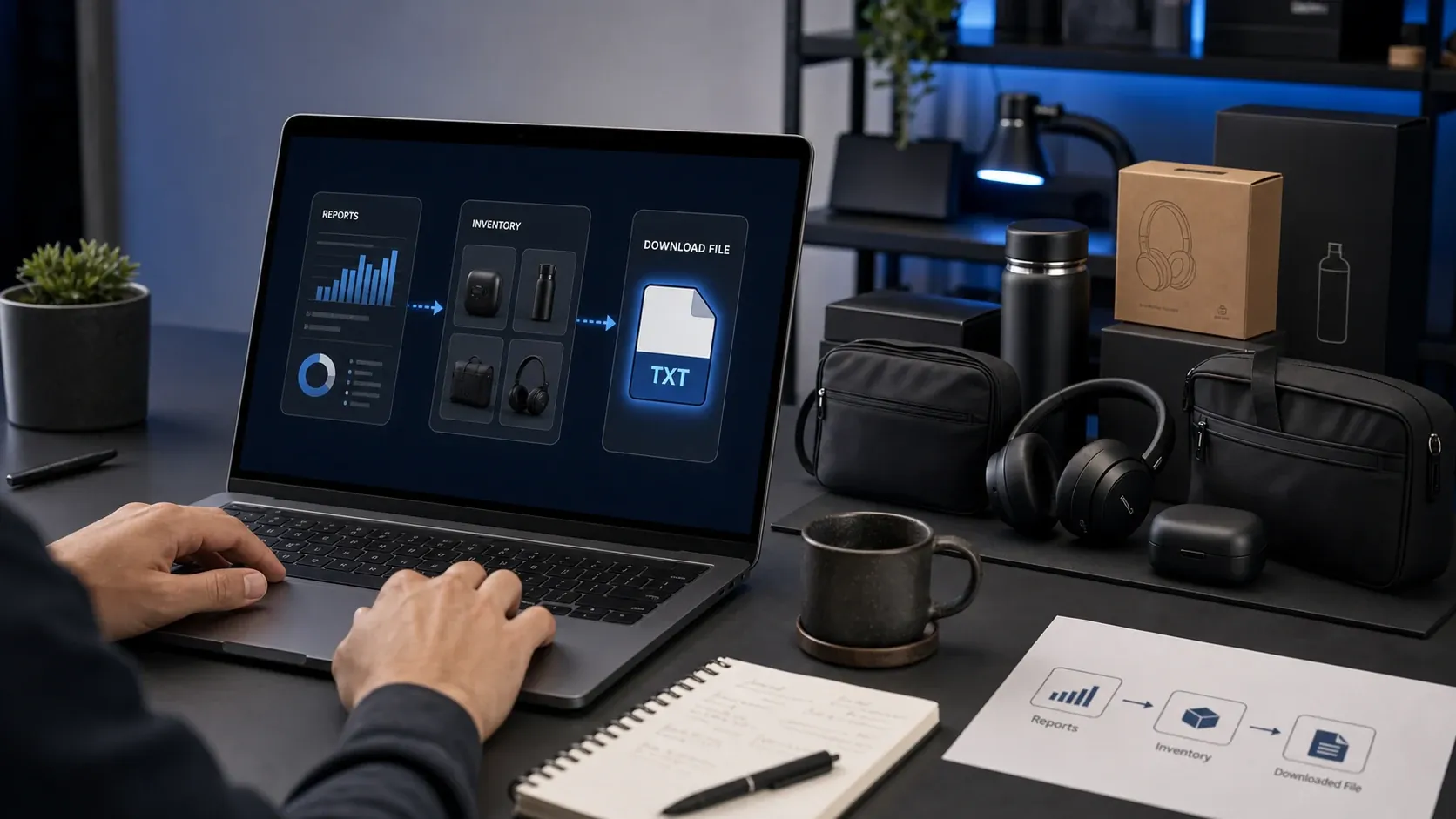
This matters because the original Amazon TXT export preserves the listing structure, including fields like item-name, item-description, SKU, ASIN, listing ID, product ID, price, quantity, and other catalog columns. If you convert the file too early, you may create formatting or column-mapping issues before the cleanup work even begins.
How to audit your catalog before July 27, 2026
Start with a structured audit, not a blank rewrite project.
Step 1: Export your current listing data
Download the relevant Amazon Seller Central listing export from Reports -> Inventory Reports. For many sellers, this will be an Active Listings, All Listings, Open Listings, or Category Listings Report.
Request the report, wait until it is ready, then download the original .txt file and keep it unchanged.
Do not start by copying titles into a blank spreadsheet. You want to preserve listing IDs, SKUs, ASINs, product IDs, and other operational fields while you work.
Step 2: Identify titles over 75 characters
Create a title length column or use a tool that calculates title length automatically.
Segment listings into:
- over 150 characters
- 101-150 characters
- 76-100 characters
- already under 75 characters
Do not ignore titles already under 75 characters. They may still need Item Highlights or cleanup.
Step 3: Group by product type or category
Different product types need different title logic.
A skincare product may need ingredient and benefit prioritization. A cable may need compatibility and length. A toy may need brand, set, edition, or age range. A food item may need flavor, size, pack count, and dietary attributes.
Grouping listings helps you avoid inconsistent rewriting.
Step 4: Define your title priority rules
Before rewriting, decide your order of importance.
Beauty and personal care: Brand -> product type -> variant -> hero ingredient -> size
Electronics accessory: Brand -> product type -> compatibility -> model -> quantity
Home cleaning: Brand -> product type -> surface/use case -> size
Apparel: Brand -> product type -> style -> material -> size/color where relevant
Step 5: Move secondary details into Item Highlights
Do not delete useful details just because they do not fit the title.
Move source-supported supporting details into Item Highlights:
- ingredients
- materials
- benefits
- use cases
- fragrance
- compatibility
- audience
- comparison points
Keep it concise. Item Highlights are not a new paragraph field.
Step 6: Review risky claims
Before finalizing, review any claim that could be inaccurate, unsupported, or category-sensitive.
Examples:
- medical claims
- health claims
- organic/natural claims
- safety claims
- warranty claims
- performance guarantees
- compatibility claims
AI can help with structure, but the seller remains responsible for product accuracy and marketplace fit.
Step 7: Apply changes through the correct Amazon workflow
Once titles and Item Highlights are reviewed, apply the approved values through the appropriate Seller Central update flow or category template.
Do not assume a review spreadsheet is the same as a final Amazon publishing file. The safer approach is to treat your working file as a review and mapping asset.
Before and after examples
Example 1: Handmade soap
Original title: SOULBAR Mystic Musk Handmade Soap with Moroccan Red Clay & Goat Milk | Detox Bath Bar for Pore Cleansing & Moisturizing | Exotic Musk Fragrance | Organic Paraben Free | Unisex Gift for Diwali & Spa | 100g
New title: SOULBAR Mystic Musk Soap with Red Clay & Goat Milk, 100g
Item Highlights: Moroccan clay, goat milk, musk fragrance, moisturizing bath bar
Why this works: The title keeps brand, variant, product type, hero ingredients, and size. Item Highlights preserve secondary product context without stuffing the title.
Example 2: Car perfume
Original title: Soulbar | Royal musk | Car Perfume Spray with Hanging Card, 700+ Sprays Long Lasting Car Freshener (80 ml)
New title: Soulbar Royal Musk Car Perfume Spray, 80 ml
Item Highlights: Hanging card, long-lasting car freshener, 700+ sprays
Why this works: The title identifies the product cleanly. The highlight line keeps the usage format and quantity detail.
Example 3: Wireless mouse
Original title: ArcLite Wireless Mouse for Laptop with Silent Click, USB Receiver, Ergonomic Design, Long Battery Life, Black
New title: ArcLite Wireless Mouse with Silent Click, Black
Item Highlights: USB receiver, ergonomic design, long battery life, laptop use
Why this works: The title keeps identity and major differentiator. The highlights preserve compatibility and benefit details.
Quick-reference title examples by category
The pattern above holds across categories, but the split between title and Item Highlights looks slightly different depending on what shoppers need to compare. Use this as a fast reference before writing your own.
| Category | Product | Compliant title (≤75 char) | Item Highlights (≤125 char) |
|---|---|---|---|
| Beauty | Facial serum | Glowvera Vitamin C Face Serum, 30ml | Brightening formula, hyaluronic acid, daily use, suitable for sensitive skin |
| Electronics | Headphones | Voxis Wireless Over-Ear Headphones, Black | Active noise cancellation, Bluetooth 5.2, 40-hour battery life, travel case |
| Home | Towels | UrbanNest Cotton Bath Towel Set, Pack of 4 | 100% Turkish cotton, ring-spun fibers, highly absorbent, sage green color |
| Food | Coffee | BeanCo Organic Arabica Ground Coffee, 250g | Single-origin Arabica, medium roast profile, chocolate tasting notes, resealable bag |
| Apparel | T-shirt | Stitched Men's Slim Fit Cotton Crewneck, L | 95% organic cotton, 5% elastane, navy blue t-shirt, preshrunk fabric |
| Automotive | Tire pump | DriveCore Portable Digital Tire Inflator, 12V | Heavy-duty car air pump, 150 PSI max pressure, auto shut-off, digital LCD screen |
Running this as a catalog operations project, not a copywriting sprint
For a handful of listings, title cleanup is a writing task. For a real catalog, it behaves more like an operations project with an owner, a timeline, and status tracking.
Assign a project owner before anyone starts downloading files or rewriting titles. Possible owners include a marketplace manager, catalog operations lead, e-commerce manager, brand manager, or agency partner. The owner does not have to do every task, but someone needs to confirm catalog scope, the approval owner, the implementation owner, and the deadline everyone is working against.
A practical timeline for a mid-size catalog looks like this:
| Timeframe | Work |
|---|---|
| Week 1 | Assign owner, define scope, download source file |
| Week 2 | Audit title lengths, group products, define rewrite rules |
| Week 3 | Generate title and Item Highlights proposals |
| Week 4 | Review risky rows and sensitive claims |
| Week 5 | Get internal or client approval |
| Week 6 | Apply approved updates and track changes |
| Ongoing | Monitor, refine, and update new SKUs |
Once generation starts, give every row a status so nobody has to guess where it stands:
| Status | Meaning |
|---|---|
| Pending | Imported but not processed |
| Generated | Title and Item Highlights created |
| Needs review | Warning, low confidence, or risky content |
| Edited | User changed generated output |
| Approved | Team accepted final values |
| Applied | Values updated through Amazon workflow |
| Failed | Row could not be processed |
Without a status field, nobody knows whether a row is ready, edited, stuck, or already approved — and that confusion is where catalog-scale cleanup projects fall apart.
Keeping Amazon titles consistent with your D2C brand across channels
Sellers who only sell on Amazon can treat this purely as a marketplace compliance task. D2C brands usually cannot, because the same product already has a name on Shopify, on packaging, in ad creative, and in social captions. If the Amazon title gets rewritten in isolation, it can drift away from all of that.
For D2C catalogs, use a slightly more specific formula than the general Keep/Move/Remove framework above:
Brand + Variant/Product Name + Product Type + Hero Attribute + Size
For example, SOULBAR Mystic Musk Soap with Red Clay & Goat Milk, 100g keeps the emotional variant name ("Mystic Musk") alongside the practical product information a marketplace title needs. A pure brand title risks being too vague for Amazon search; a pure marketplace title risks feeling generic and disconnected from the rest of the brand.
This also matters when Amazon's AI recommendations arrive. An automated rewrite may shorten a title correctly by character count while still stripping the variant name, dropping a hero ingredient, or picking different priorities than a brand team would choose. D2C teams that care about naming consistency should prepare their own seller-controlled title and Item Highlights updates rather than waiting for that automated pass.
Before applying updates, check the Amazon title against the rest of the brand's naming system:
| Asset | Role |
|---|---|
| Amazon title | Identify the product |
| Item Highlights | Preserve compact supporting detail |
| Shopify / packaging name | Source-of-truth product naming |
| Listing images | Show features, benefits, and use cases visually |
| A+ content | Tell the deeper product and brand story |
Beyond the title: Item Highlights, images, and A+ content work together
Title cleanup is the part of this update with a hard deadline, but shortening a title changes what the rest of the listing has to carry. When a 200-character title becomes a 75-character one, whatever information used to live in that title has to move somewhere else — Item Highlights, bullet points, listing images, or A+ content — or it disappears.
Each layer of a listing has a distinct job:
| Listing layer | Primary job | What it should not do |
|---|---|---|
| Product title | Identify the product clearly | Carry every keyword and benefit |
| Item Highlights | Preserve compact supporting detail | Become bullet points or backend keywords |
| Bullet points | Explain core features and benefits | Repeat the title blindly |
| Listing images | Show features, use cases, and comparisons visually | Hide claims in unreadable overlay text |
| A+ content | Tell a deeper product and brand story | Repeat the entire listing page |
Once titles and Item Highlights are cleaned up, it is worth a quick pass over the rest of the listing: do bullet points still make sense now that the title carries less detail, does the image set still explain what the shortened title used to say, and does A+ content still match the current title language and packaging? A claim that gets removed from a title can easily still be sitting, unreviewed, inside an image or an A+ module.
Why sellers should not rely only on manual rewriting
Manual rewriting sounds manageable until you do the math.
If you have 25 listings, you can probably handle them manually.
If you have 250 listings, you need a process.
If you have 1,000 listings, you need a workflow.
Manual rewriting creates predictable problems:
- inconsistent title patterns
- missed SKUs
- accidental deletion of useful details
- copied titles with broken formatting
- no clear review status
- no easy way to preserve original Amazon columns
- no structured way to separate title and Item Highlights
- no confidence signal for weak or unclear source data
The hidden work is not the writing. It is the coordination.
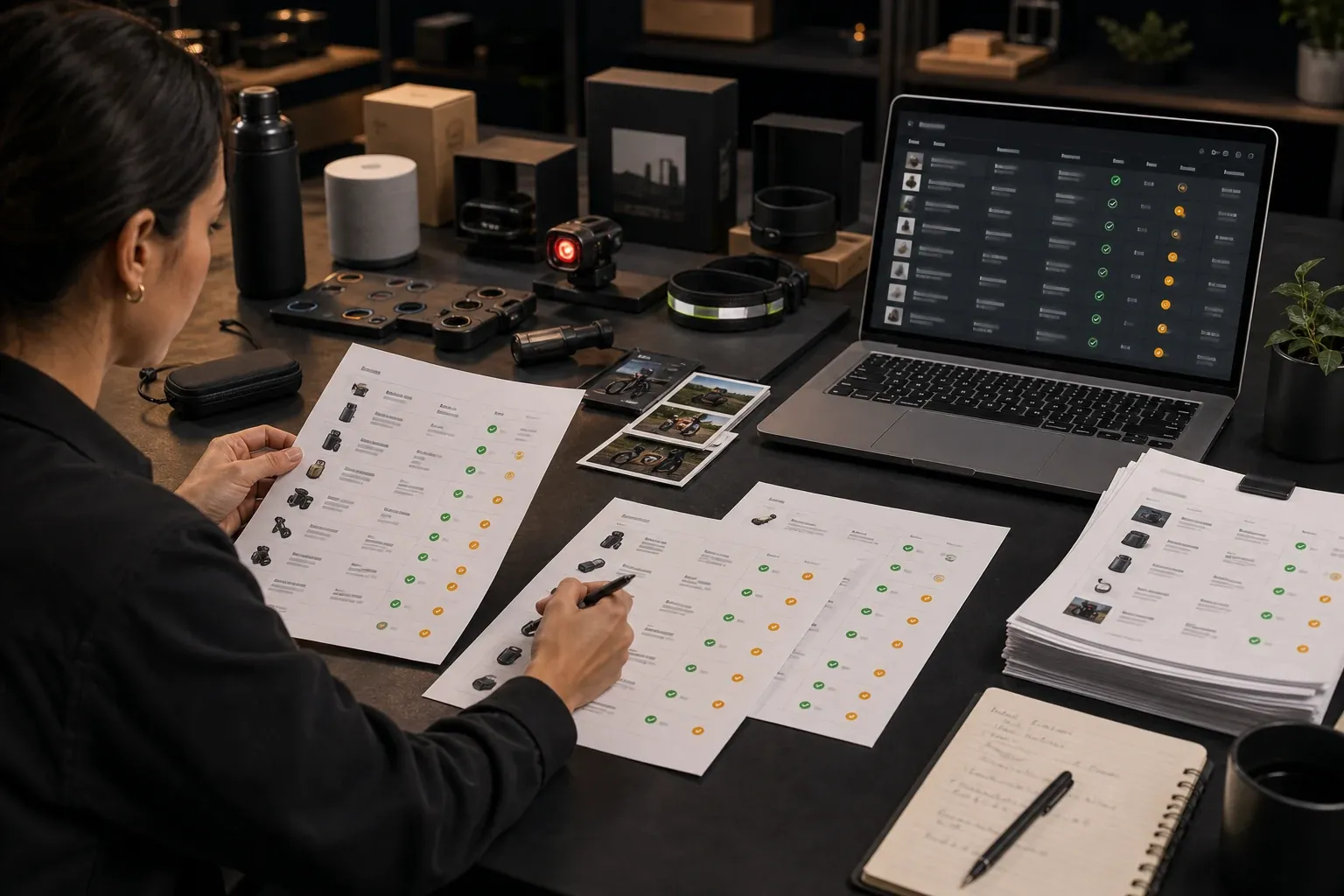
A catalog update needs row status, review notes, preserved identifiers, and a clear export format.
Why generic AI prompts are not enough
A generic AI tool can rewrite one title.
That does not mean it can manage an Amazon catalog workflow.
| Generic AI prompt | Catalog workflow need |
|---|---|
| Paste one title | Upload many listing rows |
| Rewrite manually | Process selected or all valid rows |
| Count characters yourself | See title and highlight lengths |
| Copy output into a sheet | Preserve original Amazon columns |
| No row status | Track generated, edited, failed, or review rows |
| No export logic | Create review-ready XLSX |
| No structured validation | Flag common issues |
For a single title, a prompt may be fine.
For a catalog, sellers need a system.
How AgenixSocial helps with Amazon 75-character title compliance
AgenixSocial’s Amazon 75-Character Title Compliance workflow is built for the operational problem behind the policy change.
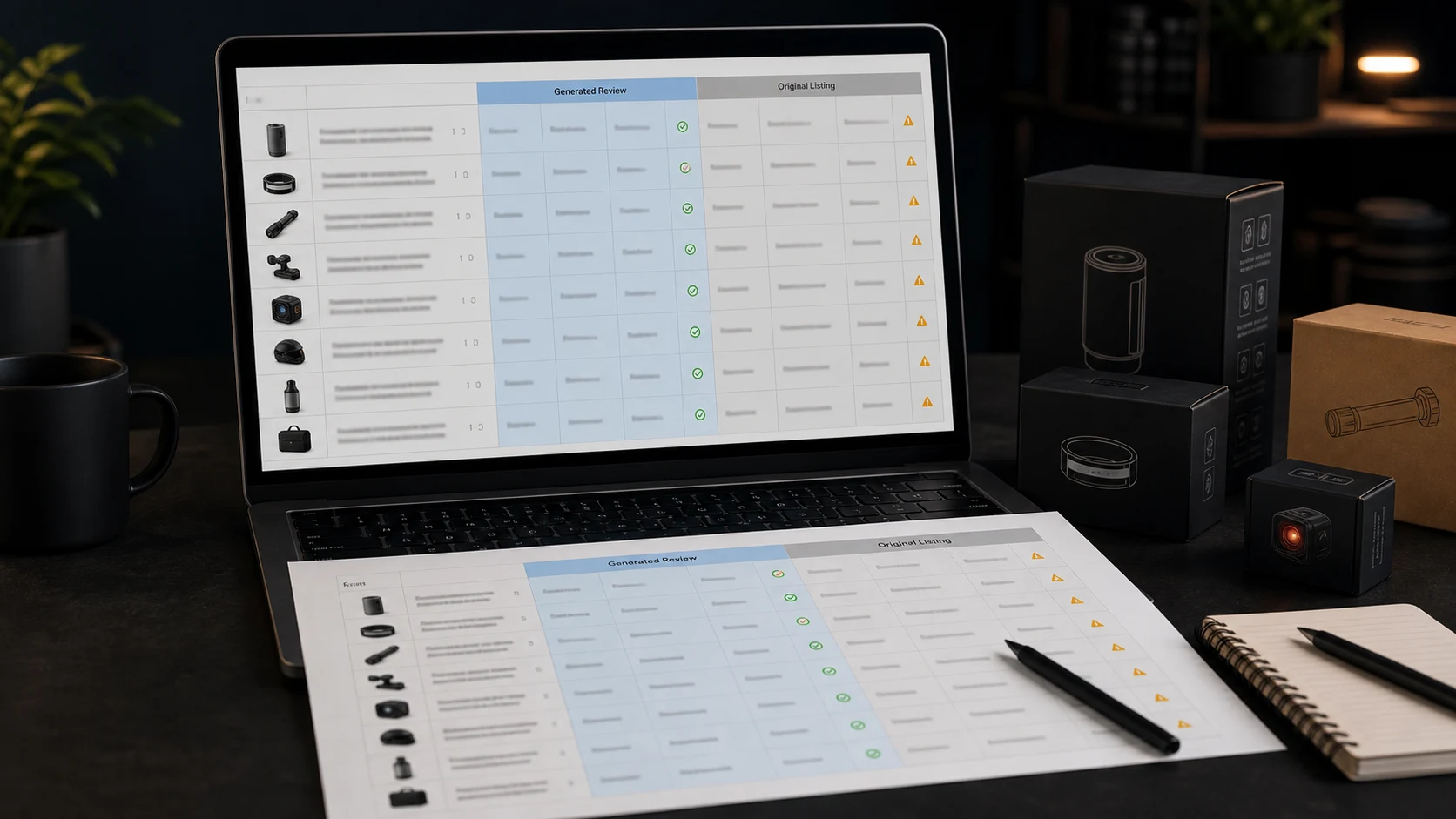
Instead of asking sellers to paste titles one by one, AgenixSocial lets teams upload an original Amazon Seller Central TXT export. It reads the listing data, primarily the item name and item description, then generates shorter titles and one comma-separated Item Highlights value.
The workflow is designed for review, not blind automation.
Sellers can:
- generate all valid rows
- generate selected rows
- edit generated titles
- edit Item Highlights
- regenerate rows
- view confidence signals
- review validation notes
- export a review-ready XLSX
- preserve the original Amazon columns for mapping and team review
This matters because Amazon title cleanup is not just a copywriting job. It is a spreadsheet, review, and catalog operations job.
AgenixSocial is especially useful for sellers who want to prepare before automated recommendations start shaping over-limit listings, while still keeping human review where it matters.
What AgenixSocial does not claim
AgenixSocial does not publish changes to Amazon. It does not promise Amazon will approve every change. It does not replace seller judgment. It helps sellers prepare structured, review-ready title and Item Highlights outputs from Amazon listing data.
Teams should still review product accuracy, claims, category fit, and marketplace requirements before applying updates.
If your team also needs better product visuals and Amazon creative once the listing text is under control, see marketplace listing image sets and Amazon A+ content generation. For broader marketplace planning, see Amazon seller content workflows and pay-as-you-go credits.
Amazon 75-character title compliance checklist
Use this checklist before updating your catalog.
File preparation
- Log in to Amazon Seller Central.
- Go to Reports -> Inventory Reports.
- Choose Active Listings, All Listings, Open Listings, or Category Listings Report.
- Click Request Report.
- Wait until the report status becomes Ready.
- Download the original
.txtfile. - Do not convert the file before processing.
- Keep a backup of the original export.
- Make sure item name and item description fields are available where possible.
Title rewrite
- Keep the brand if source-supported.
- Keep the product type.
- Keep the main variant or model.
- Keep size or quantity if important.
- Remove noisy separators.
- Remove repeated words.
- Remove weak promotional filler.
- Avoid unsupported claims.
Item Highlights
- Move useful secondary details into Item Highlights.
- Use source-supported materials, ingredients, benefits, use cases, and audience details.
- Keep the value short and readable.
- Avoid paragraph-style copy.
- Avoid repeating the title unnecessarily.
Review
- Review low-confidence rows.
- Review titles with missing or weak descriptions.
- Review category-sensitive claims.
- Review medical, health, organic, safety, or compatibility claims.
- Confirm final title length and Item Highlights length.
Export and update
- Use a review-ready XLSX for team review.
- Preserve original SKU, ASIN, listing ID, and product ID context.
- Copy approved values into the correct Amazon update workflow.
- Track what was changed and when.
Common mistakes to avoid
Mistake 1: Truncating titles instead of rewriting them
Cutting a title at 75 characters can create broken copy. Rewrite the title around product identity.
Mistake 2: Moving everything into Item Highlights
Item Highlights are limited too. Treat them as supporting detail, not a second product description.
Mistake 3: Removing useful searchable details
Useful materials, ingredients, use cases, and variants should be preserved when source-supported. They may belong in Item Highlights instead of the title.
Mistake 4: Ignoring titles already under 75 characters
A title can be short and still poorly structured. Under-limit titles may still need Item Highlights.
Mistake 5: Treating AI output as final
AI can accelerate the first draft. Sellers should still review claims, product accuracy, and marketplace fit.
Mistake 6: Losing original Amazon columns
If you rewrite in a blank sheet, you risk losing SKU, ASIN, listing ID, or product ID context. Keep the original export structure close to the workflow.
Mistake 7: Using the wrong file format too early
Converting the Amazon TXT export into another format before processing can create parsing or mapping issues. Work from the original TXT export wherever the workflow requires it.
Mistake 8: Treating Item Highlights like full bullet points
Item Highlights are short, not a second bullet-point field. A line like "This handmade soap is crafted with Moroccan red clay and goat milk to cleanse and moisturize your skin every day" belongs in bullet points, not Item Highlights. Keep the value compact and comma-separated, closer to "Moroccan clay, goat milk, musk fragrance, moisturizing bath bar."
Mistake 9: Treating Item Highlights like backend keywords
Item Highlights are customer-facing, so they should not read like a keyword dump ("soap bath soap goat milk soap handmade soap moisturizing soap"). Use terms that help a shopper compare products quickly, not repeated keyword fragments.
Mistake 10: Repeating the title inside Item Highlights
If the title already says "ArcLite Wireless Mouse with Silent Click, Black," weak Item Highlights would just restate it ("wireless mouse, silent click wireless mouse, black mouse"). Ask what detail is not already in the title and use the space for that instead.
What sellers should do now
If you sell on Amazon, do not wait until the deadline to discover how many titles need cleanup.
Start with a simple action plan:
- Go to Seller Central -> Reports -> Inventory Reports.
- Request the right listing report: Active Listings, All Listings, Open Listings, or Category Listings Report.
- Download the original
.txtfile once it is ready. - Count title lengths.
- Identify listings over 75 characters.
- Rewrite a sample set manually to define title rules.
- Decide what should move into Item Highlights.
- Process the rest of the catalog in batches.
- Review risky or low-confidence rows.
- Apply approved values through the correct Amazon workflow.
If you manage only a small catalog, this may be a one-day cleanup task.
If you manage hundreds of SKUs, treat it like a catalog operations project.
Amazon’s Q&A guidance around the update also points sellers toward reviewing listings, recommendations, and seller action steps inside Seller Central. See Amazon’s title update Q&A guidance.
FAQ
What is the Amazon 75-character title limit?
It is Amazon’s shorter product title requirement for most non-media categories. Product titles need to fit within 75 characters including spaces.
When does Amazon’s 75-character title limit start?
Amazon’s announced effective date is July 27, 2026.
What are Amazon Item Highlights?
Item Highlights are a 125-character field for useful product details such as materials, recommended use cases, and comparison points that no longer fit inside the shortened title.
Are Item Highlights the same as bullet points?
No. Item Highlights are not the same as full bullet points. They are a shorter supporting field.
Where do I get the Amazon TXT file?
Log in to Amazon Seller Central, go to Reports -> Inventory Reports, choose Active Listings, All Listings, Open Listings, or Category Listings Report, then click Request Report. Once the report status becomes Ready, download the .txt file and use that original file for your title compliance workflow. Do not convert it to CSV or XLSX before processing.
Which Amazon report should I download?
For title compliance work, sellers can start with Active Listings, All Listings, Open Listings, or Category Listings Report depending on the catalog view they need. The key is to use a compatible Amazon tab-delimited TXT export that includes listing title data.
What should stay in the Amazon title?
Keep the core product identity: brand, product type, model or variant, and size or quantity when important.
What should move into Item Highlights?
Move source-supported secondary details such as ingredients, materials, benefits, use cases, audience, fragrance, compatibility, or comparison points.
Will Amazon rewrite my titles automatically?
Amazon has said titles still over the limit after the deadline may be updated to AI recommendations gradually. Sellers should review Amazon’s current guidance inside Seller Central.
Should I update titles that are already under 75 characters?
Yes, at least review them. A title may be under 75 characters but still need Item Highlights, cleanup, or better structure.
Can I use ChatGPT to rewrite Amazon titles?
You can use a generic AI prompt for a few titles, but catalog-scale work needs more structure: row processing, character counts, validation notes, original column preservation, and export workflow.
Does AgenixSocial publish title changes to Amazon?
No. AgenixSocial creates a review-ready XLSX. Sellers should apply approved values through the correct Amazon update workflow.
Does AgenixSocial promise Amazon approval?
No. AgenixSocial helps with compliance preparation and review. Sellers should still check product accuracy, claims, category fit, and marketplace requirements before applying changes.
Are Item Highlights searchable on Amazon?
Yes. Amazon has confirmed that Item Highlights are searchable and appear below the product title in both search results and detail pages, so keywords used there can still contribute to discoverability.
Do brand owners get to review Amazon's AI-generated title changes?
Yes. Amazon says brand owners get a 14-day review window through Review Listing Changes in Seller Central to modify or approve AI-generated title and Item Highlights recommendations before they go live.
Conclusion
Amazon’s 75-character title limit is not just a shorter title rule. It changes how sellers need to structure product information.
The title now has to do one job clearly: identify the product.
Item Highlights carry the supporting detail.
That sounds simple until you apply it across a real catalog.
The sellers who handle this well will not be the ones who simply cut titles down to 75 characters. They will be the ones who build a clean workflow: export listings, separate title information from supporting details, preserve useful product context, review risky rows, and apply approved changes carefully.
AgenixSocial helps sellers do that with a purpose-built Amazon 75-Character Title Compliance workflow. Upload your Amazon TXT export, generate shorter titles and Item Highlights, review what needs attention, and export a review-ready XLSX your team can work from.
First 100 products are free. After that, it is 1 credit per additional 100 products.
Prepare your Amazon titles with AgenixSocial’s Amazon 75-Character Title Compliance workflow.